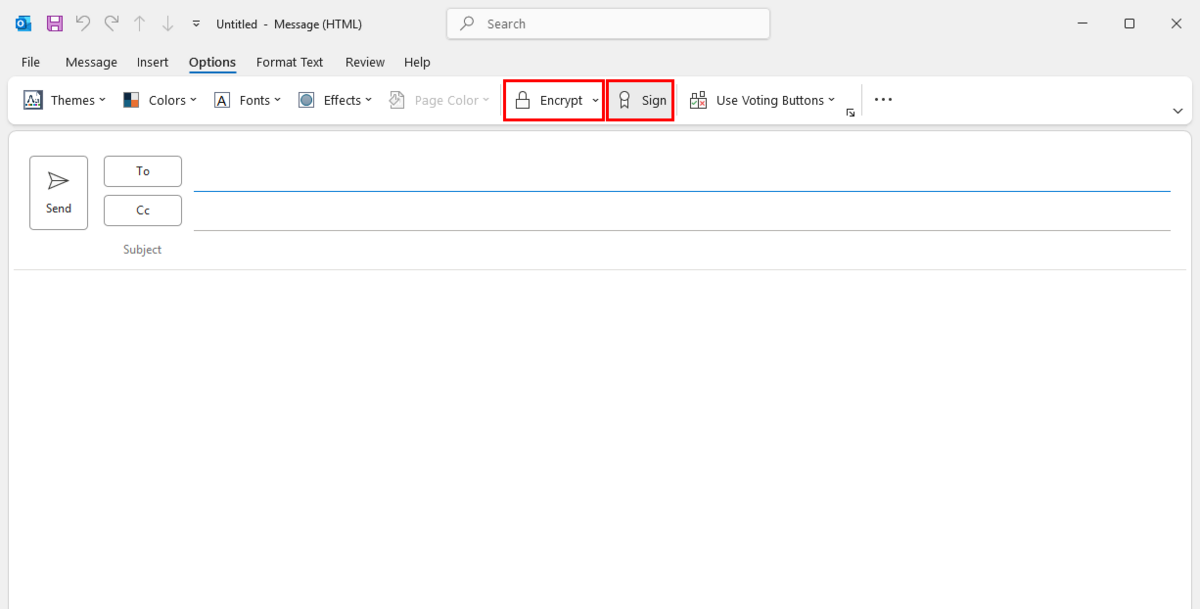
An S/MIME certificate (for signing/encrypting emails) allows you to digitally sign emails and encrypt their content, which improves the security of your correspondence.
Benefits of an S/MIME certificate:
-
Signing messages.
-
Confirms the authenticity of the sender – the recipient can be sure that the message comes from a specific person or organisation.
-
Guarantees that the content of the message has not been altered during transmission.
-
-
Message encryption.
-
Ensures the confidentiality of correspondence – only the recipient with the appropriate private key is able to decrypt the message.
-
To order a certificate, complete the S/MIME certificate application form, and then send a scan to ithelp@agh.edu.pl.
Attention!
Since 2025, HARICA (Hellenic Academic & Research Institutions Certification Authority) has been the certificate provider for AGH.
The following section applies to the installation of certificates issued after 1 January 2025.
If you have a certificate issued earlier, go directly to the section Installation of a personal certificate.
Installing a personal certificate for use in Outlook requires prior installation of the HARICA root certificate.
To do this:
-
Go to the HARICA certificate repository. https://repo.harica.gr/rep_dyn.php
-
In the Root Certification Authorities section, expand the list of certificates and select HARICA Client RSA Root CA 2021.

- Download the certificate in DER format:
Direct link to the certificate:
https://repo.harica.gr/certs/HARICA-Client-Root-2021-RSA.der

- Open the downloaded file.
If a warning appears before opening the file, confirm that you want to open the file by clicking Open.

- Installing a new root certificate from a certification authority may pose a security risk to your system.
Before installing, it is important to verify that the certificate is trusted and validated by Microsoft's Root Certificate Programme. Learn how to do this here.
Attention!
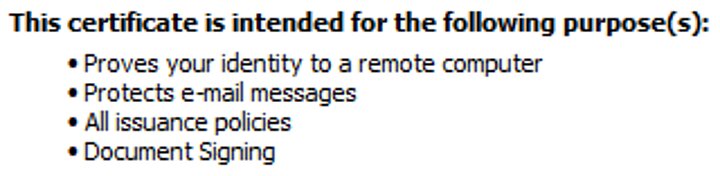
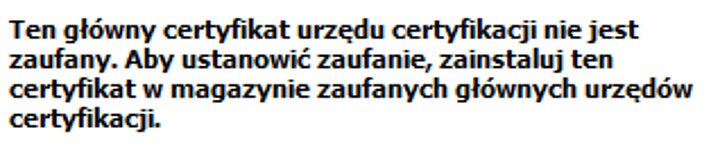
When attempting to install an untrusted certificate, Windows will mark it as shown below. Do not install such a certificate on your system.




-
Save the S/MIME personal certificate file (for signing/encrypting emails) that was attached to the email you received from certyfikaty@agh.edu.pl to your hard drive.
-
Open the saved file.
-
Select ‘Current user’ as the storage location.

- Check that the correct file is being imported.
If necessary, click Browse... and select the personal certificate file you downloaded earlier.

- Enter the password required to import the certificate.
It can be found in the same email message to which the file was attached.


Attention
The Outlook programme (new version) available in the Microsoft 365 Copilot package for AGH employees does not have the option to configure an S/MIME certificate.
To use the email signing/encryption functionality, you must use Outlook (classic).


- In the Change Security Settings window, most options should be set correctly by default. Pay attention to:
- Security settings name
- Signing certificate
- Encryption certificate
- Hash algorithm - select at least SHA256

- After confirming the security settings, we recommend enabling the Add digital signature to outgoing messages option to automatically sign all outgoing emails.