Holding an S/MIME email certificate enables you to sign and encrypt emails. A digital signature verifies the sender’s identity and the integrity of the message, whilst encryption ensures the confidentiality of correspondence, protecting it from being read by unauthorised persons.
To order a certificate, log in to the Certus app and submit your application in accordance with the instructions in: Applying for an email signing and encryption certificate.
The IT Solutions Centre recommends using the Mozilla Thunderbird email programme to use these certificates. Detailed information on installing and configuring the programme can be found in the guide: Thunderbird setup.
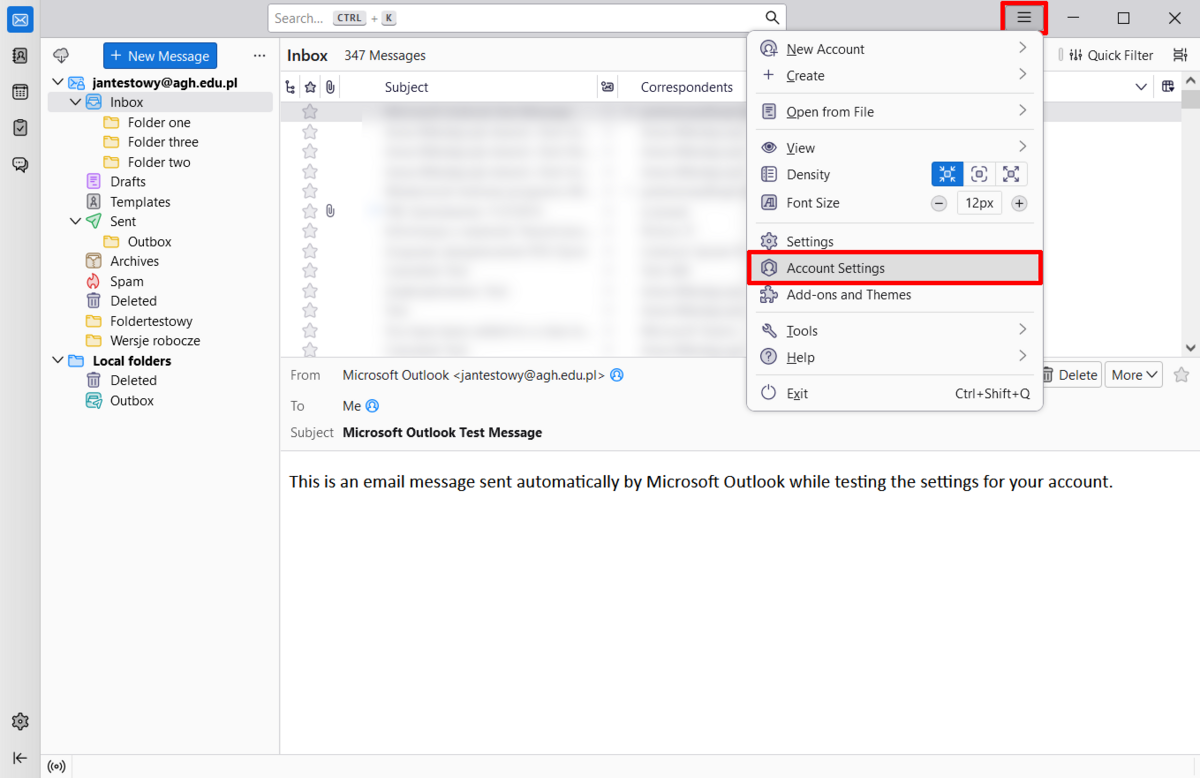
- Open settings by clicking the menu icon located in the top right corner and select "Account Settings".
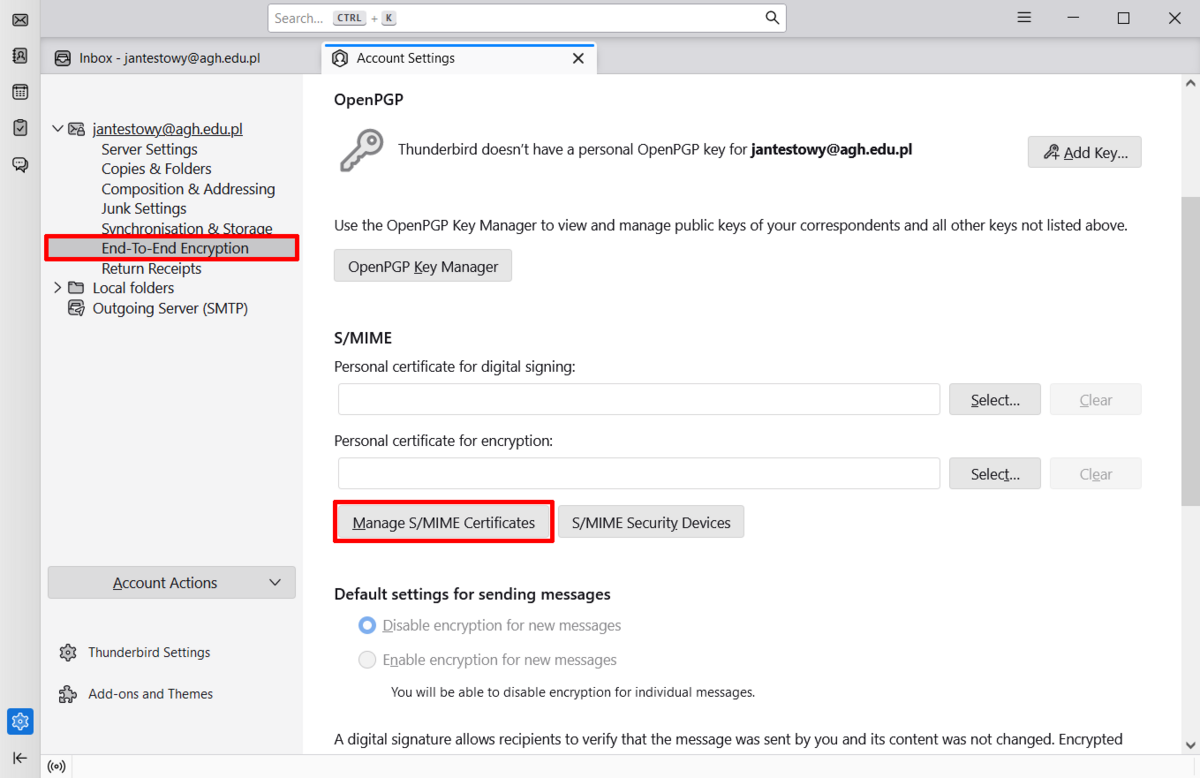
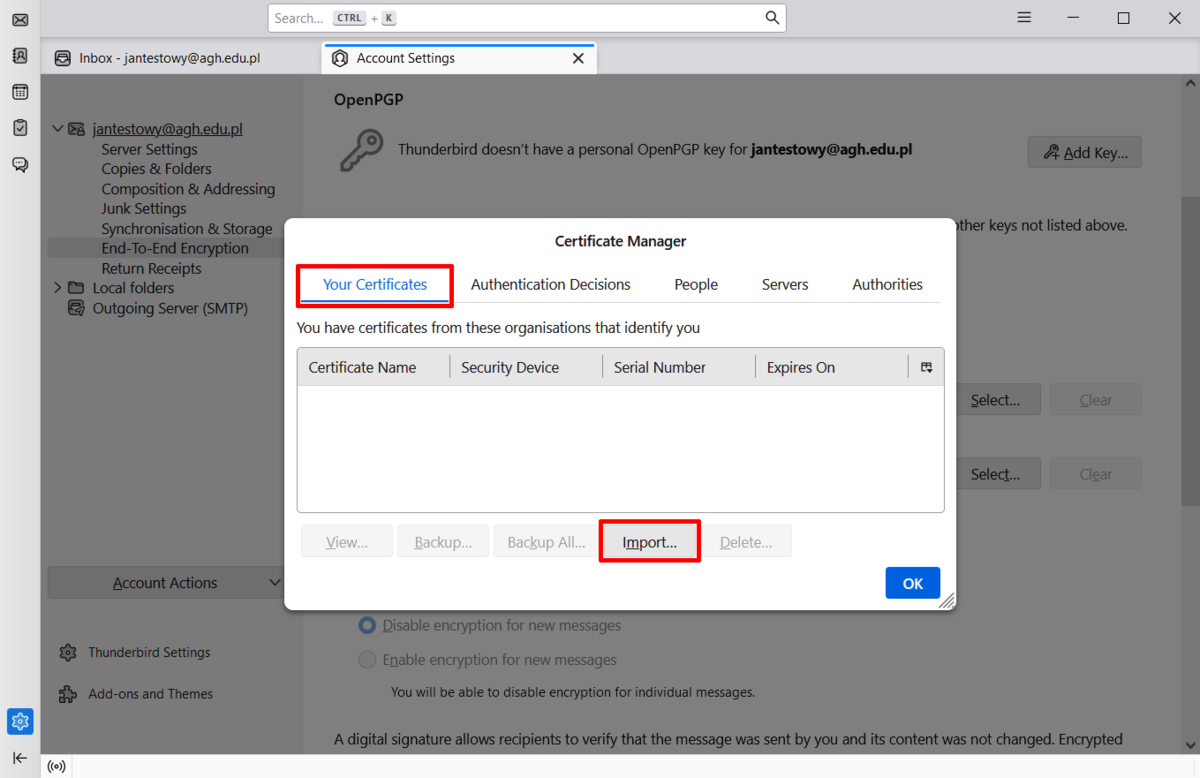
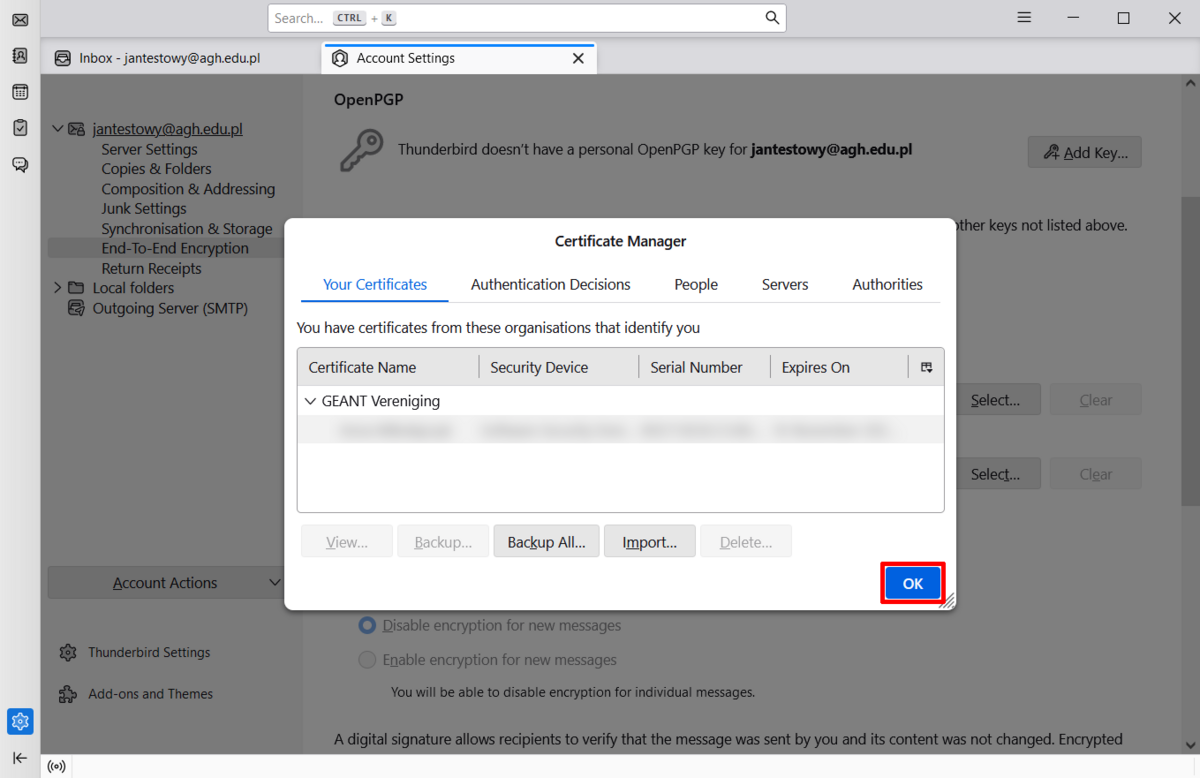
- Select the file named “cert.p12” from your hard drive, which contains your public and private keys, enter the password you set in the Certus app when you submitted your application, and then click the “Log in” button. Once imported, press "OK".
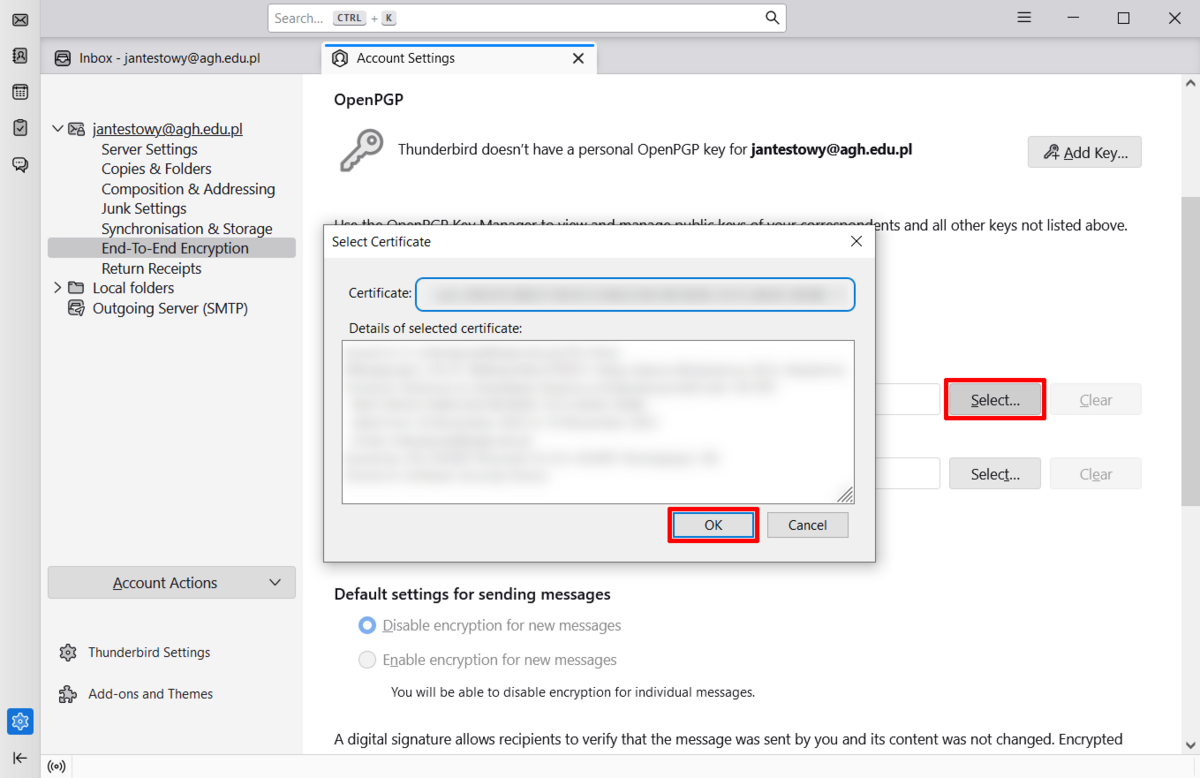
- In the "S/MIME" section, next to the "Personal certificate for digital signing", press "Select...", then click "OK" in the pop-up window.
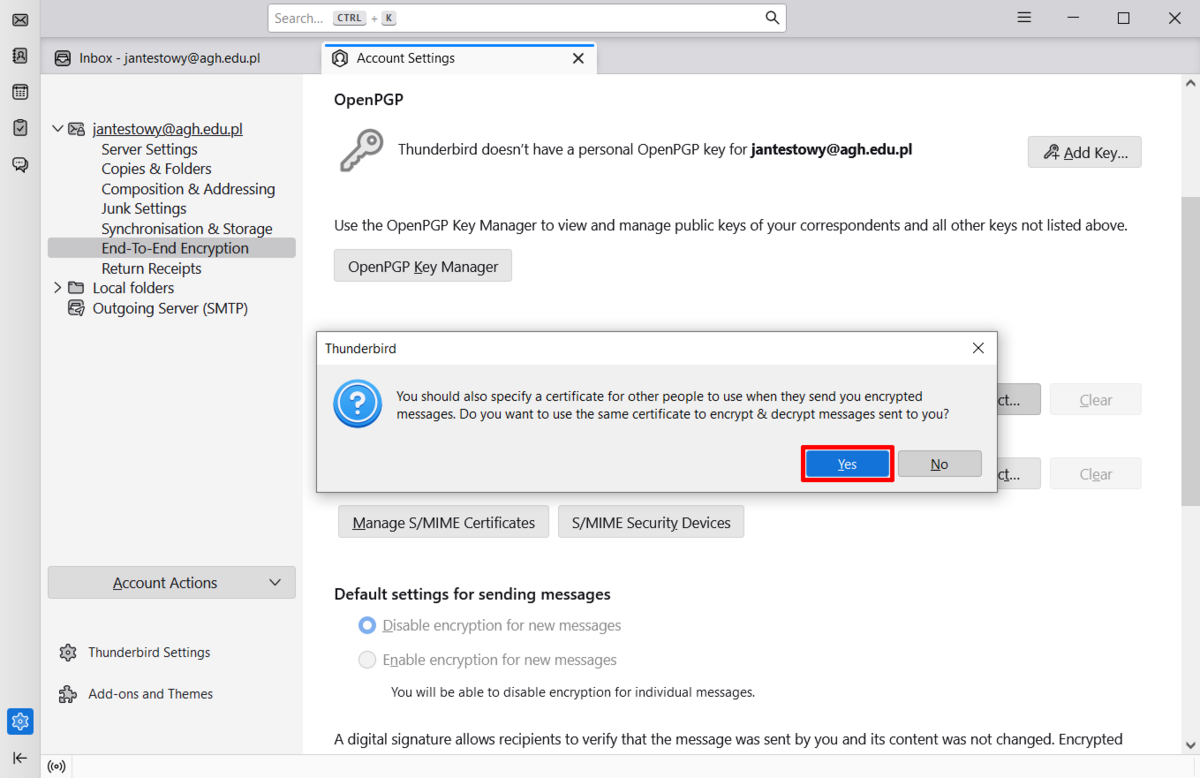
- In the next pop-up window, select "Yes". Doing so ensures the same certificate will be used to not only digitally sign messages, but also encrypt them.
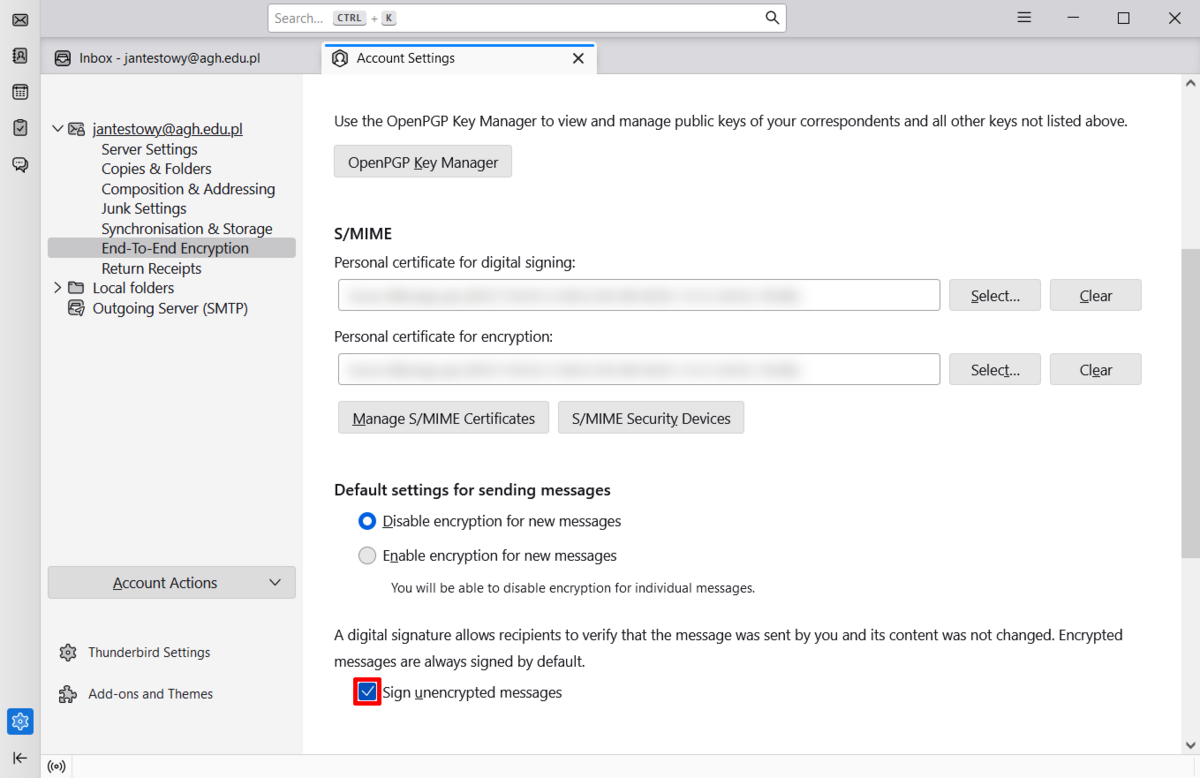
- Your certificate has been imported. We recomment activating the option to "Sign unencrypted messages".
Important
To encrypt messages, you must have the public key of the recipient to whom you wish to send the message. There are two ways to obtain certificates from other AGH staff members:
- Send a digitally signed message and ask for a signed reply. Following this exchange of messages – known as a “handshake” – you will be able to encrypt your messages.
- You can also download that person’s certificate from the Certus application and import it into your email programme. Please refer to the instructions in Importing other people’s email certificates into Thunderbird for further details.
Info
We also encourage you to take a look at the Frequently Asked Questions (FAQ) section.

