As part of the electronic certificates available at AGH, the Certus application enables users to obtain and manage certificates used for signing and encrypting emails, as well as for using a qualified electronic signature.
Detailed instructions:
Holding an S/MIME certificate enables you to sign and encrypt emails. A digital signature verifies the sender’s identity and the integrity of the message, whilst encryption ensures the confidentiality of correspondence, protecting it from being read by unauthorised persons.
To obtain such a certificate:
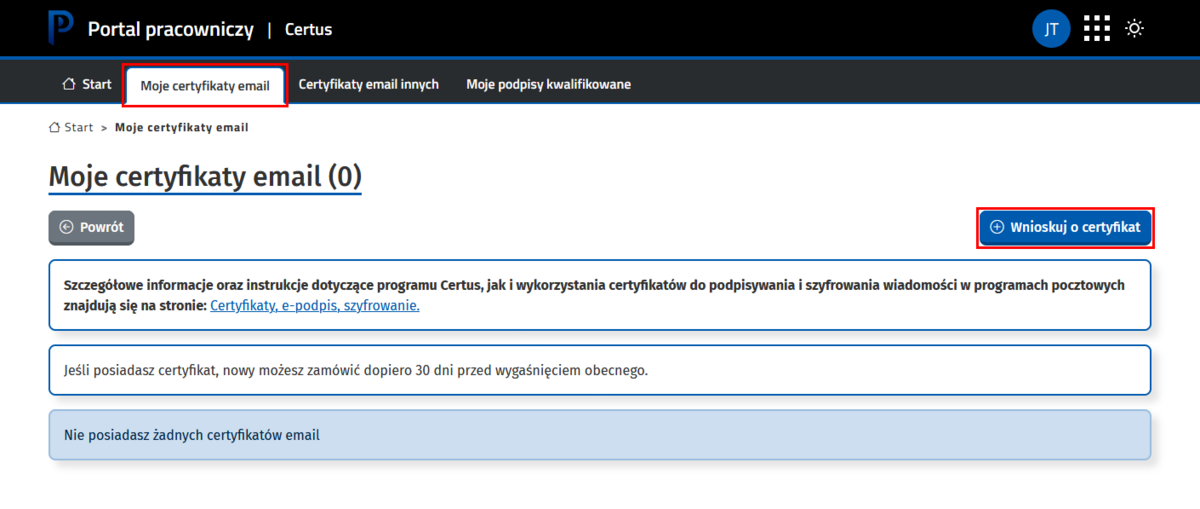
- Log in to the Certus application (login is via AGH SSO). Go to the "Moje certyfikaty email" (EN: “My email certificates”) tab, then click the “Wnioskuj o certyfikat” (EN: “Apply for a certificate”) button.
Informacja
Using this app, you can apply for a certificate in two ways:
- the standard method,
- the alternative (advanced) method, which requires IT knowledge.
The standard method is described below.
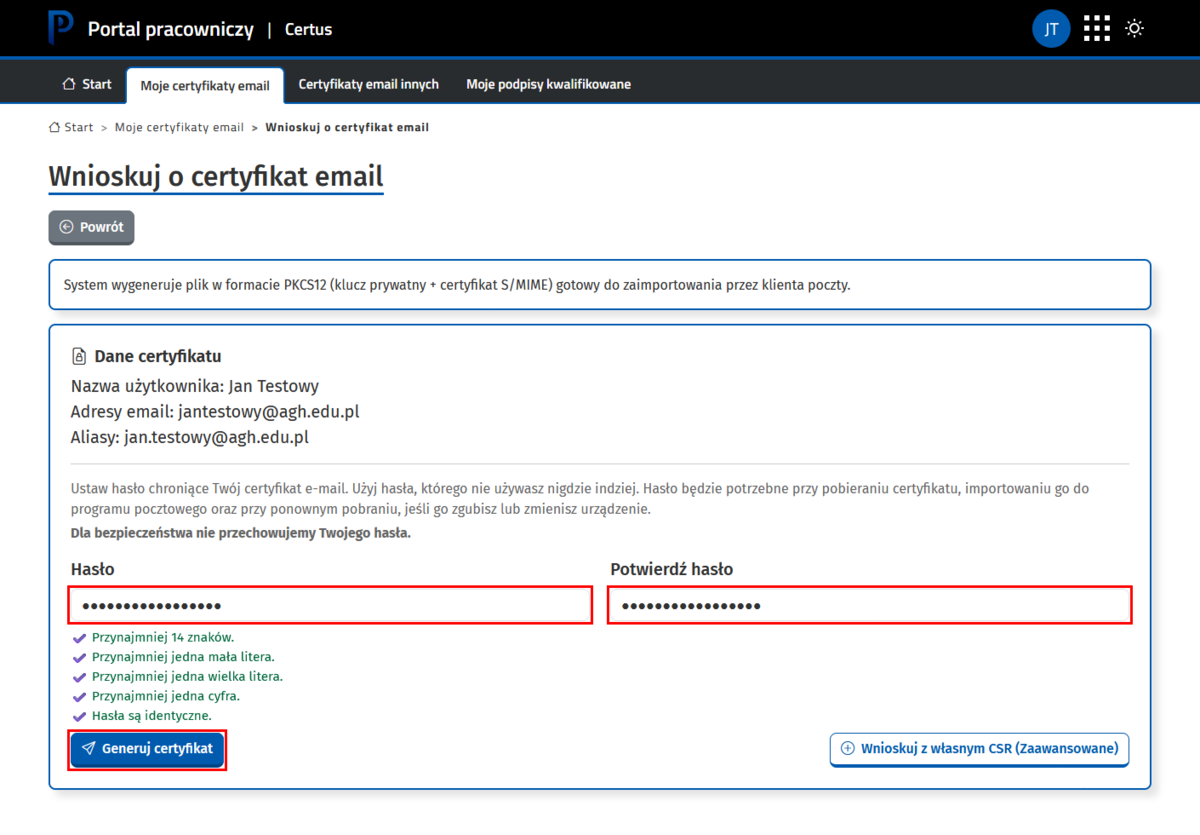
- Enter the security password, then click the “Generuj certyfikat” (EN: “Generate certificate”) button.
Important
You will need the password when downloading the certificate and when importing it into your email programme, as well as when downloading it again if you lose it or change your device.
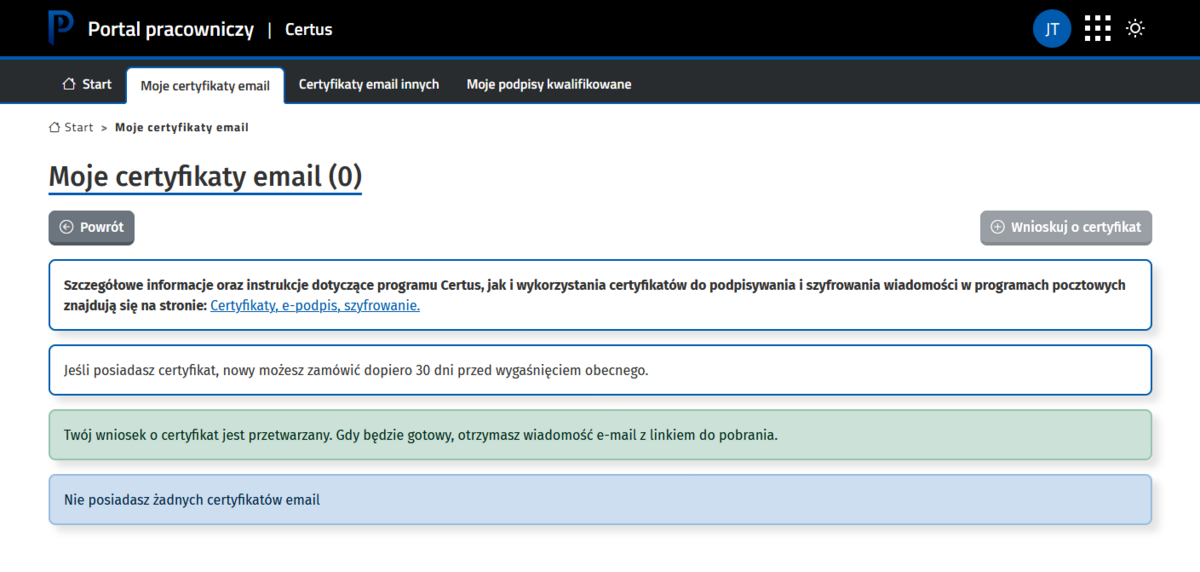
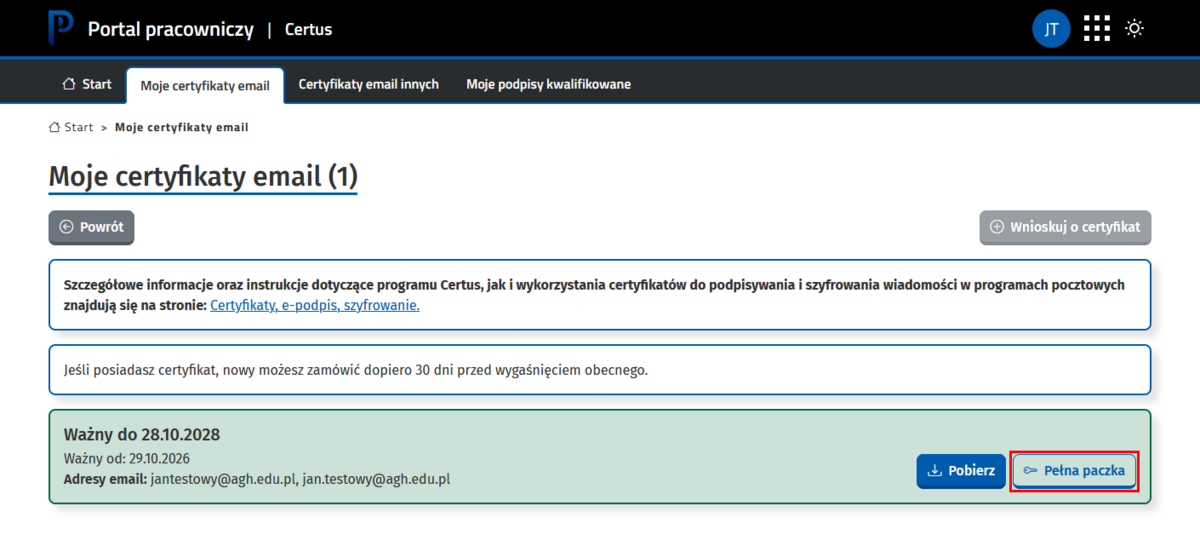
- Download the certificate file by clicking the “Pełna paczka” (EN: "Complete package”) button and import it into your email programme as described below, depending on which programme you are using:
- Importing your own email certificate into Thunderbird (recommended)
- Importing your own email certificate into Classic Outlook
If you are installing a certificate in the Mail app on macOS, please contact IT Support, as an additional script needs to be run.
Important
In the event of the loss or theft of a device on which a certificate has been installed, if you suspect unauthorised access to the private key, if the certificate password has been disclosed, or in any other situation that may compromise its security, please contact IT Support immediately.
Other people’s certificates are downloaded in the form of a so-called public key. This is essential for sending an encrypted message to each person.
In the Certus app, go to the “Certyfikaty email innych” (EN: “Other people’s email certificates”) tab. In this tab, you can:
- download the certificate (public key) of specific individuals using the search bar on the left-hand side. Search for the person, then click the “Pobierz” (EN: “Download”) button to save the certificate file to your local drive. The file will be named “First_Name_Surname.pem”.

- obtain certificates (public keys) for all staff members at your organisation:
- Click on the “Pobieranie według jednostki” (EN: “Download by unit”) button.

- Click the “Pobierz paczkę” (EN: “Download package”) button to save the file containing the certificates to your hard drive. The file will be named “certificates_Organisation.p7b”.

Import the downloaded certificate file into your email programme as described in the guide: Importing other people’s public certificates into Thunderbird. This will enable you to encrypt messages to people whose public certificates you hold.
Info
We also encourage you to take a look at the Frequently Asked Questions (FAQ) section.
A qualified digital signature enables you to sign electronic documents (e.g. PDF, Word and Excel files). Documents signed in this way have the same legal effect as documents bearing a handwritten signature.
To obtain a qualified digital signature:
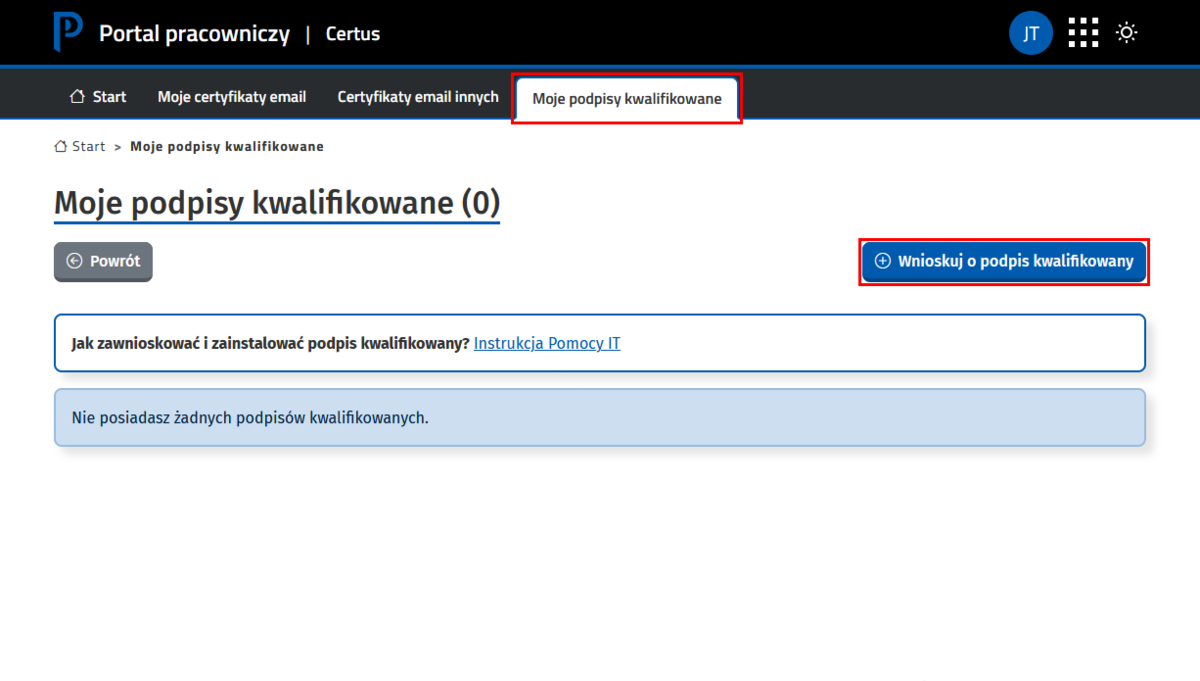
- Log in to the Certus application (log-in is via AGH SSO). Go to the “Moje podpisy kwalifikowane” (EN: “My qualified digital signatures”) tab, then click the "Wnioskuj o podpis kwalifikowany” (EN: “Apply for a qualified digital signature”) button.

Important
If you cannot remember your AGH LDAP password, please reset it. Further details can be found in the guide: Database of AGH Employees and Students password.
- Select the type of card, fill in the form with the required details, and then click the “Złóż wniosek” (EN: “Submit application”) button.

- Print out the generated application form. Once it has been signed by you and your manager, please submit it to the Chancellor’s Office (Building C-1, Room 13).
Important
In the case of project managers, an endorsement from the Director of the Centre for Project Support is required to validate the costs of purchasing the digital signature.

- Please wait for an email notification from the KIR (National Clearing House) office regarding collection, which usually takes place at the Kraków branch (114a Lea Street, tel. 22 545 55 55) upon presentation of the identity document specified in the application.
Important
Drivers and software must be downloaded from https://www.elektronicznypodpis.pl/en/applications-and-drivers. Versions for the following operating systems are available: Windows, Linux and macOS.
Detailed instructions on installing and activating the card can also be found on the website linked above.

